
You send the quote and the invoice. We get you paid.
Customers pay however they like, Venmo and Zelle included, and the app knows when the money lands. Every invoice and reminder shows the photos of the work. Nobody chases. The money goes straight to you.
First 10 invoices free · No card · Your crew joins from a text
Northfield Home Services · Invoice 1042
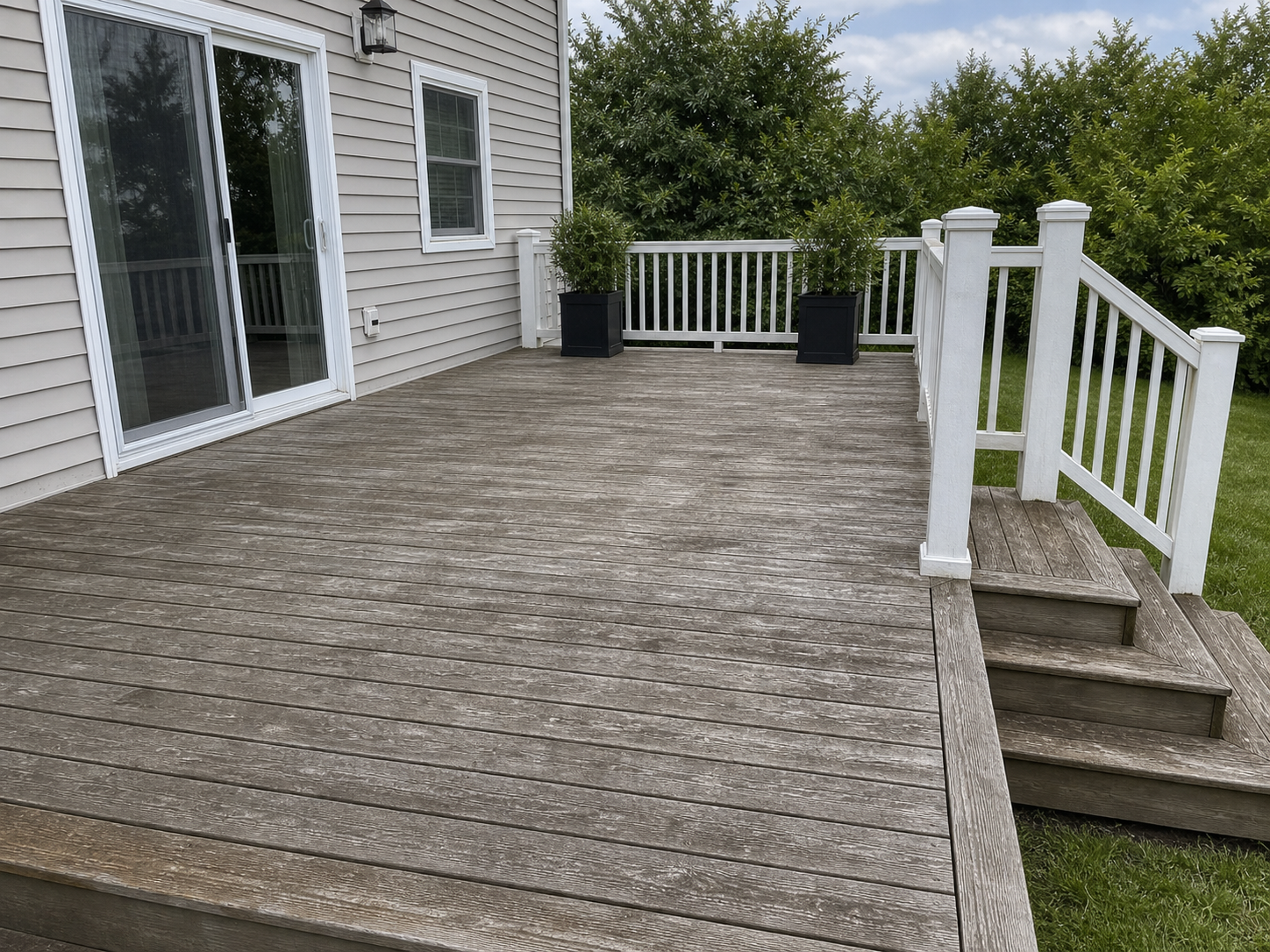
Deck stain and seal
847 Oak Lane, Westfield

Getting paid, done properly.
Other software stores the job. This gets it paid.
- 1
Your money goes straight to you. We never take a cut.
Cards, Apple Pay and bank payments go to your own Stripe account; Venmo, Cash App and Zelle go to your own accounts. We never hold your money, so there's nothing to freeze or delay.
- 2
Customers pay however they like, and the app knows when it lands.
Card, Apple Pay, Google Pay, bank, Venmo, Cash App, Zelle or PayPal. The Venmo button puts the invoice code in the note; for Zelle and the rest you forward the “you got paid” email and the app matches it. It never marks something paid on the amount alone; if it isn't sure, it asks you.
- 3
Proof on every invoice and every reminder.
The before and after photos go with the invoice and with each reminder. Customers pay faster when they can see the work.
- 4
Nobody chases.
Reminders go out on their own, 3, 7 and 14 days after the due date, and stop the moment any payment arrives. If it's still unpaid after that, it comes back to you.
- 5
Priced by the invoice, everything included.
No charge per person, so hiring never costs more. No tiers, no AI credits, no add-ons. Quotes, crew, customers and messages are never counted.
One link from quote to paid.
- 1
Quote
Pick the customer, add lines from your price list, offer two or three times that fit the calendar. Send.
- 2
Booked
The customer approves, picks a time, and the job is on the calendar with a worker. No phone tag.
- 3
Done
Your worker (or you) opens a text link, no app, takes before and after photos, and taps complete.
- 4
Paid
You send the invoice with the photos. The app chases, matches the payment, sends the receipt and asks how you did.
Working alone? Same flow, one person. You're the crew.
Running crews? Each worker gets a text link with their jobs and no prices. Add the tenth person for the same price as the first.
See what your customer gets.
This is the text your customer receives when the job is done. Tap it; it's real.
One price. Everything in it.
You pay for the invoices you send. Nothing else is counted.
$39a month
Includes 40 invoices · 75¢ each after that
- Quotes, scheduling, crew links, reminders, payments: all included
- No charge per person
- No tiers, no AI credits, no contract
- No fee on your payments, ever
First 10 invoices free. No card.
Start freeBusier shops pay less per invoice, automatically.
Each month you're billed whichever size is cheapest for what you sent. Nobody picks a plan.
| Invoices a month | You pay |
|---|---|
| Up to 40 | $39 |
| 41 to about 120 | $39 + 75¢ each over 40 |
| 150 included | $99, then 50¢ each |
| 450 included | $199, then 30¢ each |
A solo owner sending 30 invoices pays $39. A crew sending 150 pays $99. Cancel any time; you keep access until the end of the month you paid for.
Common questions
What does it cost?
$39 a month includes 40 invoices; each one after is 75¢. Busier shops are billed at a cheaper size automatically: $99 for 150, $199 for 450. Your first 10 invoices are free with no card. No charge per person, no tiers, no AI credits, no contract, and no fee on payments.
What counts as an invoice?
An invoice you send for finished work. Quotes, reminders, receipts, customers and crew are never counted.
Do you touch my money?
Never. Card and bank payments go to your own Stripe account, and Stripe pays your bank. Venmo, Cash App, Zelle and PayPal go straight to you. We take nothing.
Do I have to set up Stripe?
No. If you don't have it, you set up your own Stripe account from inside the app in a few minutes. If you'd rather not take cards, Venmo, Cash App, Zelle and PayPal work without it.
How does it know my customer paid by Venmo or Zelle?
The Venmo button puts the invoice code in the payment note. For Zelle (from Chase, Bank of America or Wells Fargo), Cash App and PayPal, forward your "you got paid" emails to the app (or set your email to do it for you), and it matches them. If it isn't sure, it asks you. It never marks something paid on the amount alone.
Who chases late payers?
The app does. Reminders go 3, 7 and 14 days after the due date, each with the photos and a pay link, and stop the moment money arrives. After that, it comes back to you.
Does my crew need an app?
No. They get a text with a link to their jobs, with no prices on it. They can take the photos and collect payment on site with a QR code.
Does adding a worker cost more?
No. There's no charge per person.
I work alone. Is this for me?
Yes. Same flow, one person. Most solo owners send fewer than 40 invoices a month, so it's $39.
How long does a quote take?
About a minute: pick the customer, add lines from your price list, pick the times you can do it, send. The customer approves and picks a time from the same link, and the job is booked.
What do my customers see?
A page with the photos of the work, the total and a pay button. No app, no account.
Can I bring my customers from Jobber, Housecall Pro or a spreadsheet?
Yes. Upload the file. Customers you already have are matched, not doubled, and nothing they have is overwritten.
Will it message my customers without asking me?
You approve each message's wording once, in your business's name: quote follow-ups, payment reminders, receipts and "how did we do?". Until you do, nothing goes by itself. Any payment stops the reminders, and you can switch any message off.
Does it work with QuickBooks?
Not yet. You can export your customers and invoices any time.
What's the catch?
It's new, and it's run by a small team. Some things are still being built (deposits on approval, saved cards, QuickBooks). What you ask for shapes what comes next.
I built this because the guys I know finish good work and then wait weeks to get paid for it. Proof-to-Pay is the shortest path I could build between “job done” and “money in your account.” If something's not working, tell me. I read everything.
Christian, founder of Proof-to-Pay